Claude Code + Codex · one shared Keep
How to share memory between Claude Code and Codex.
Connect both coding agents to one self-hosted Keep. A decision captured while you work in Claude Code can become useful starting context in Codex—with working state, provenance, coordination, and Firekeep-mediated evidence attached.
- Self-hosted
- MCP-native
- One person or a team
Claude Codeadapter · MCP · supported hooks
capture
Your self-hosted Keepknowledge that outlives the runtime
- knowledge
- working state
- coordination
- evidence
Codexadapter · MCP · repository guidance
recallThe short answer
Give both runtimes an MCP connection to the same Keep.
Firekeep installs a local gateway and configured adapters for Claude Code and Codex. Both reach the same self-hosted workspace, so selected knowledge and active work do not end at a model, chat, terminal, or machine boundary. Claude Code can use its supported lifecycle hooks; Codex uses the same Firekeep tools through explicit MCP calls.
Native memory + shared memory
Keep what each runtime already does well. Add what needs to travel.
Claude Code and Codex each have their own ways to carry instructions, project context, and provider-native continuation. Firekeep does not replace those systems or merge their private provider histories. It adds an independent layer for the knowledge and working state you want connected agents to use together.
Continue inside the tool.
Use each runtime's own context, instruction files, and continuation features for the work that belongs to that runtime.
Carry experience between tools.
Keep selected decisions, proven fixes, procedures, active goals, and documents available across connected runtimes and machines.
Complementary by design.
The runtime handles the conversation. The Keep preserves what should remain useful after that conversation ends.
Install · one bootstrap command
Connect Claude Code and Codex to the same Keep.
Run one bootstrap command. It asks who you are and where the Keep server is, then renders the shipped Claude Code and Codex adapters automatically.
- Name the agent.Choose the identity that will be attached to memories, sessions, and replay events.
- Choose the Keep.Set one up on this machine, redeem a teammate's join code, or connect to an existing address.
- Let adapters render.The Client Kit configures the shipped Claude Code and Codex connections. Restart open agent sessions.
- Verify the path.Run
firekeep doctorand confirm the server, credentials, runtimes, and memory services are healthy.
Starting a new all-in-one Keep? Choose Set one up on this machine on an x86-64 Linux host, or through Docker Desktop with amd64 support on Windows or macOS. Joining one your team already runs? Choose the join-code path; codes are single-use and the installer enrolls this machine against the same workspace.
For server sizing, enrollment paths, source installation, and troubleshooting, use the complete Firekeep installation guide.
Same Keep · different automation
The shared tools are identical. The lifecycle is not.
This distinction matters when you design the handoff. Claude Code exposes hooks Firekeep can use around the session. Codex exposes the MCP tool surface and repository guidance, so its Firekeep calls are explicit.
| Firekeep surface | Claude Code | Codex |
|---|---|---|
| Connection | Configured adapter and the full MCP tool surface. | Configured adapter, repository guidance, and the full MCP tool surface. |
| Session opening | Supported hooks can open the session with a briefing and prior art. | Call ctx_start_session explicitly; its response returns prior art through MCP. |
| Recall | Direct recall plus prompt-triggered recall through the supported hook path. | Call memory_recall explicitly when the task should use the Keep. |
| Working state | Hooks can assist lifecycle capture; the agent can also call session tools directly. | Use ctx_update and session tools directly as the work changes. |
A real cross-runtime handoff
Solve it once. Start the next session further ahead.
Imagine Claude Code discovers why a release job fails. The valuable part is not the chat transcript. It is the diagnosis, the approach that worked, the approach that did not, and the current state of the task.
Claude recalls.
The session checks the Keep for earlier decisions and procedures before changing the release pipeline.
Claude captures.
It records the goal, decisions, progress, and the verified fix with provenance while the evidence is fresh.
Codex starts.
A later Codex session declares its goal and explicitly recalls the release-pipeline history from the same workspace.
The Keep improves.
Codex acts on the result, reports whether it helped, and updates the shared working state for whoever comes next.
“Recall what our Keep knows about the release pipeline. As we work, preserve the decisions and the verified fix—including why the first approach failed.”
“Start a Firekeep session for this goal, then recall what we learned about the release-pipeline failure. Use it if it applies and record whether it held.”
ctx_start_sessionmemory_recallctx_updatememory_learnmemory_feedback
These are ordinary natural-language requests. The configured agent calls the Firekeep tools through MCP; you can also name a tool directly when you want deterministic control.
Beyond a memory note
The handoff keeps its working shape.
Know what, why, and where.
Memories, selected documents, reusable skills, and explicit session state stay connected to identity and provenance.
Make ownership visible.
Tasks, handoffs, messages, and renewable Relay leases help cooperating agents avoid duplicating the same work.
Inspect the work that passed through Firekeep.
Firekeep-mediated replay, declared outcomes, and evaluation receipts give important decisions an inspectable trail.
One person is enough
Your agents can stop being strangers before you have a team.
Use one Keep for your own Claude Code and Codex sessions across projects and machines. Your active goals, chosen documents, decisions, and hard-won fixes remain available to you. If other people join later, Firekeep grows into shared organizational context without replacing the personal workflow that made it useful.
Optional desktop workspace
See Claude Code and Codex in one clear place.
Firekeep Studio uses your installed Claude Code and Codex CLIs. Choose which runtime leads, add a fresh read-only reviewer, and turn important work into a Mission with deterministic local checks, bounded repair, review evidence, and human acceptance.
Studio installation and quick start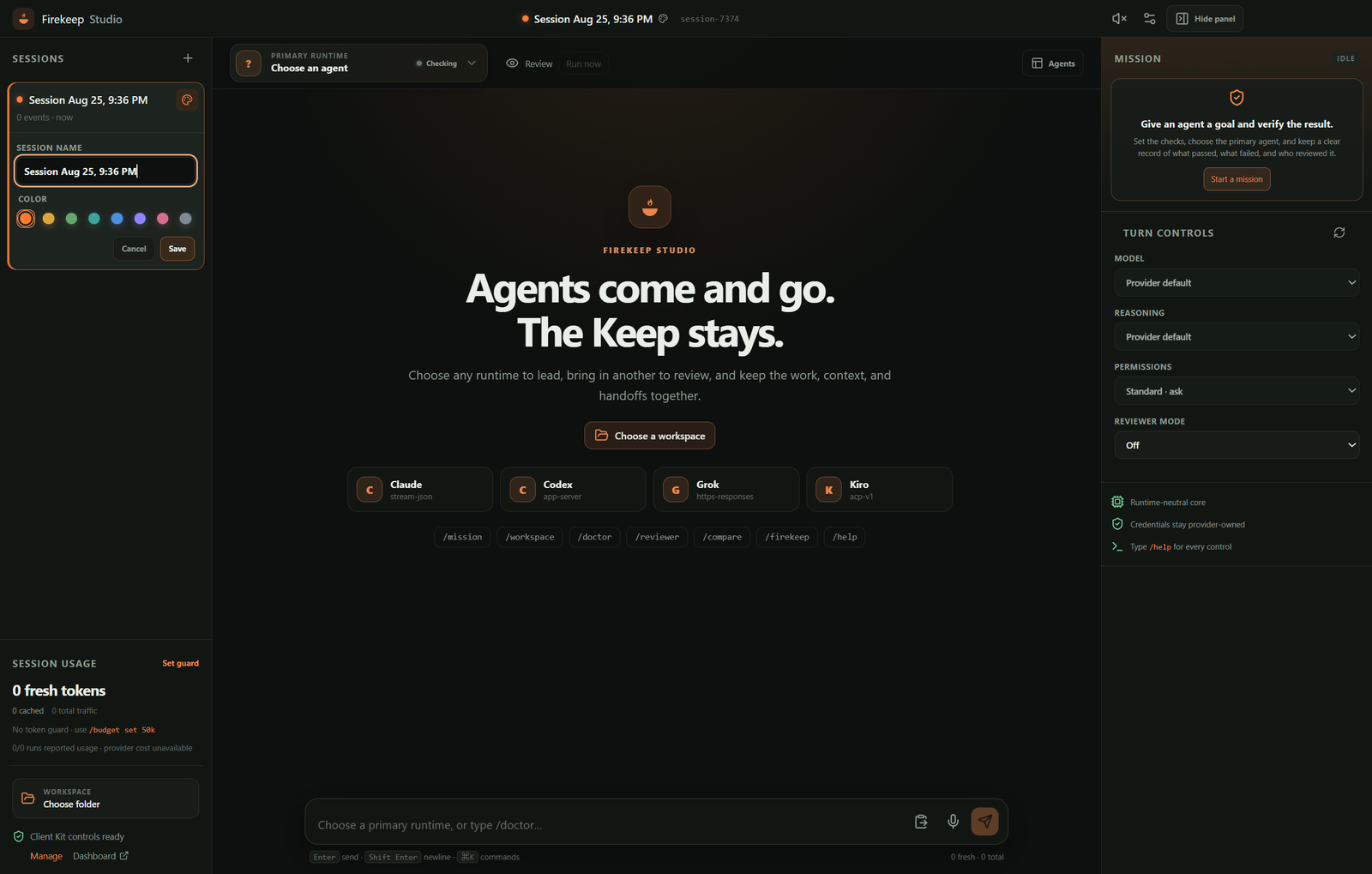
Frequently asked questions
Claude Code, Codex, and Firekeep
Does Firekeep replace Claude Code memory or Codex continuation?
No. Keep using each runtime's native continuation, instructions, and project context. Firekeep adds a separate self-hosted layer for knowledge and working state that should travel between runtimes, sessions, people, and machines.
Does Codex receive automatic Firekeep briefings?
Codex receives Firekeep's MCP tools and repository guidance, but it has no Firekeep lifecycle hooks. Start and update the session, recall memory, and poll coordination tools explicitly. A ctx_start_session call returns prior art through its tool response on every runtime.
Can one person use Firekeep with Claude Code and Codex?
Yes. One person can use a Keep across projects, sessions, tools, and machines. Add teammates later when the same context should travel between people.
Do I need Firekeep Studio to share context?
No. The Client Kit connects Claude Code and Codex to the Keep. Firekeep Studio is an optional desktop workspace for choosing a primary runtime, adding independent reviewers, and running evidence-backed Missions.
Where does shared Firekeep data live?
In the self-hosted Keep you operate. A local Firekeep gateway on each connected machine handles MCP, identity, and routing to that server.
Keep going